# Práctica: IC/DC con Jenkins
# Ejercicio 1: Construcción de una imagen docker
pipeline {
    environment {
        IMAGEN = "evanticks/django_tutorial"
        LOGIN = 'USER_DOCKERHUB'
    }
    agent none
    stages {
        stage("Desarrollo") {
            agent {
                docker { image "python:3"
                args '-u root:root'
                }
            }
            stages {
                stage('Clone') {
                    steps {
                        git branch:'main',url:'https://github.com/Evanticks/jenkins-django.git'
                    }
                }
                stage('Install') {
                    steps {
                        sh 'pip install -r requirements.txt'
                    }
                }
                stage('Test')
                {
                    steps {
                        sh 'python3 manage.py test'
                    }
                }

            }
        }
        stage("Construccion") {
            agent any
            stages {
                stage('CloneAnfitrion') {
                    steps {
                        git branch:'main',url:'https://github.com/Evanticks/docker-django.git'
                    }
                }
                stage('BuildImage') {
                    steps {
                        script {
                            newApp = docker.build "$IMAGEN:latest"
                        }
                    }
                }
                stage('UploadImage') {
                    steps {
                        script {
                            docker.withRegistry( '', LOGIN ) {
                                newApp.push()
                            }
                        }
                    }
                }
                stage('RemoveImage') {
                    steps {
                        sh "docker rmi $IMAGEN:latest"
                    }
                }
            }
        }
    }
    post {
        always {
            mail to: 'antonio@gonzalonazareno.org',
            subject: "Status of pipeline: ${currentBuild.fullDisplayName}",
            body: "${env.BUILD_URL} has result ${currentBuild.result}"
        }
    }
}
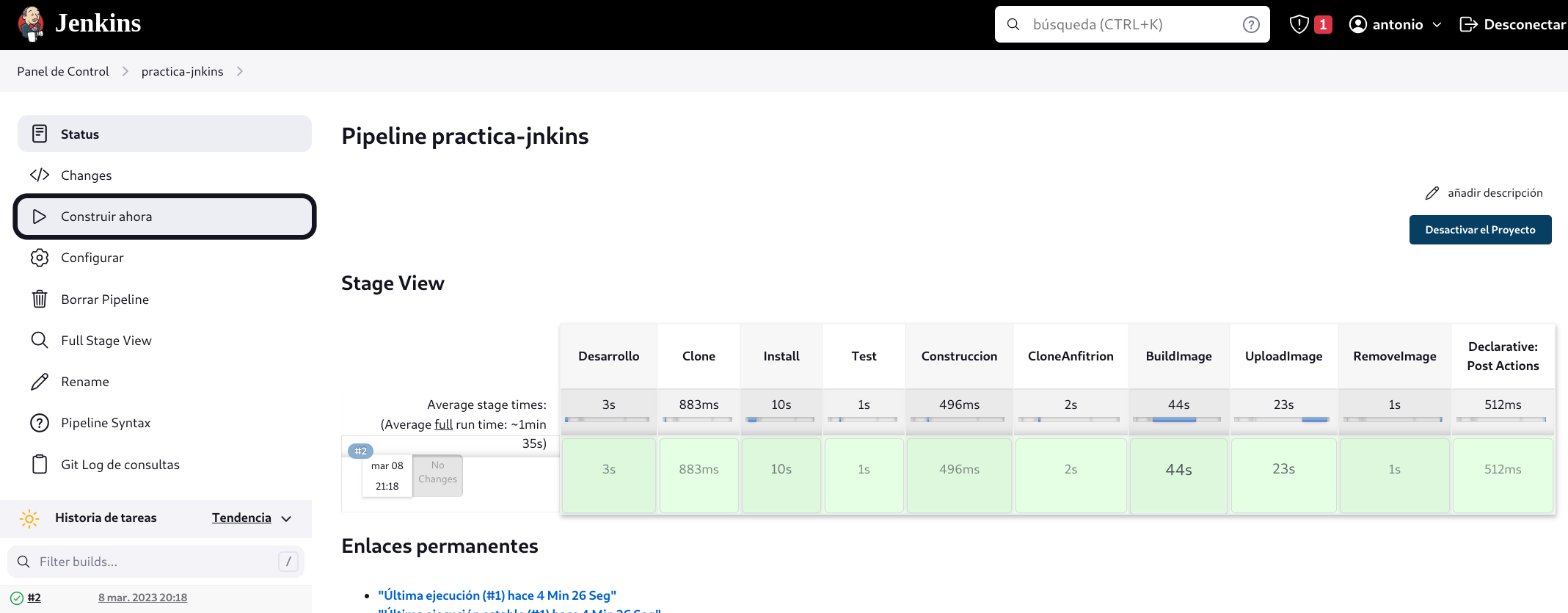
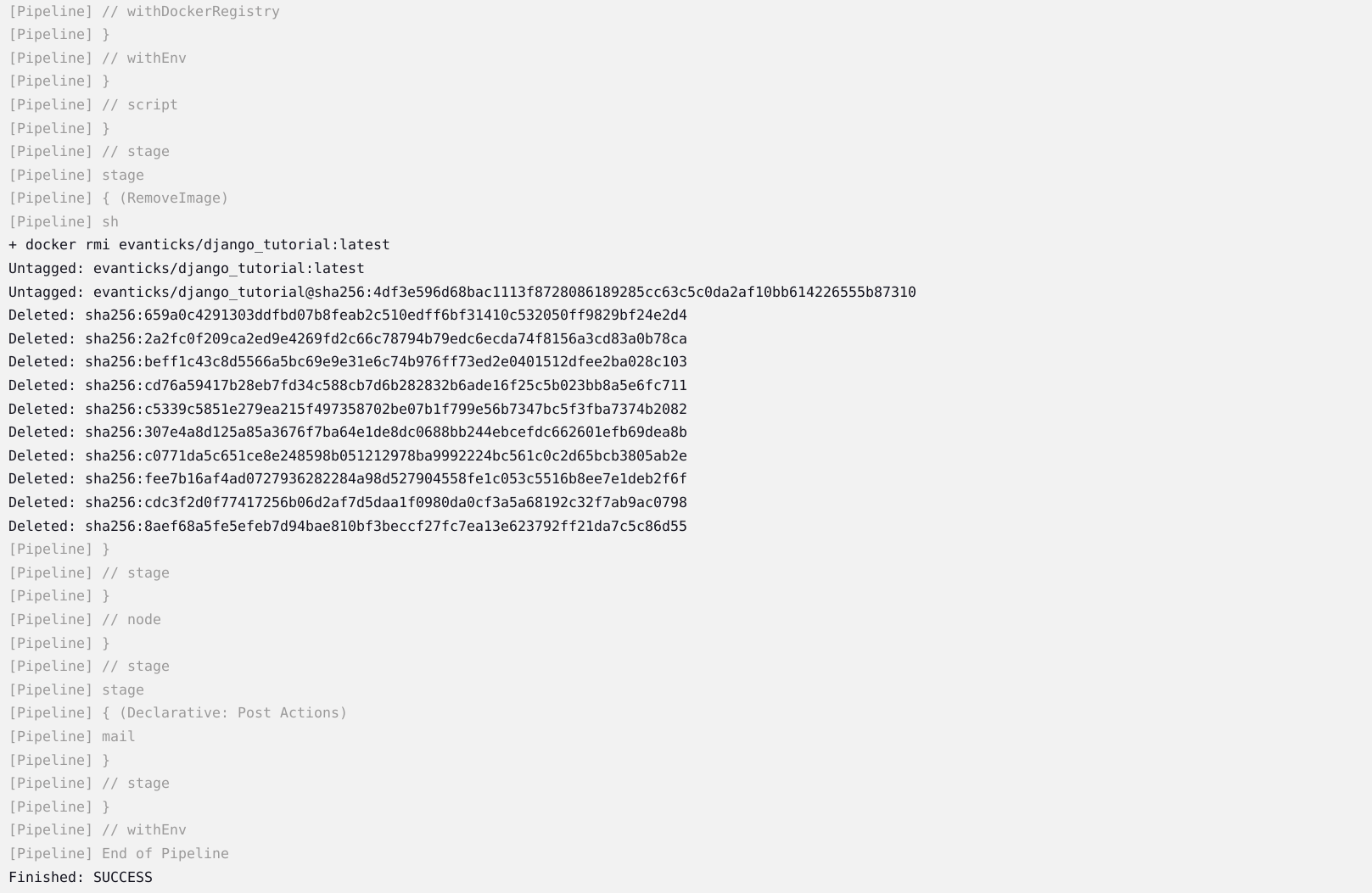
Una captura de pantalla donde se vea la salida de un build que se ha ejecutado de manera correcta.
Una captura de pantalla de tu cuenta de Docker Hub donde se vea la imagen subida de último build.
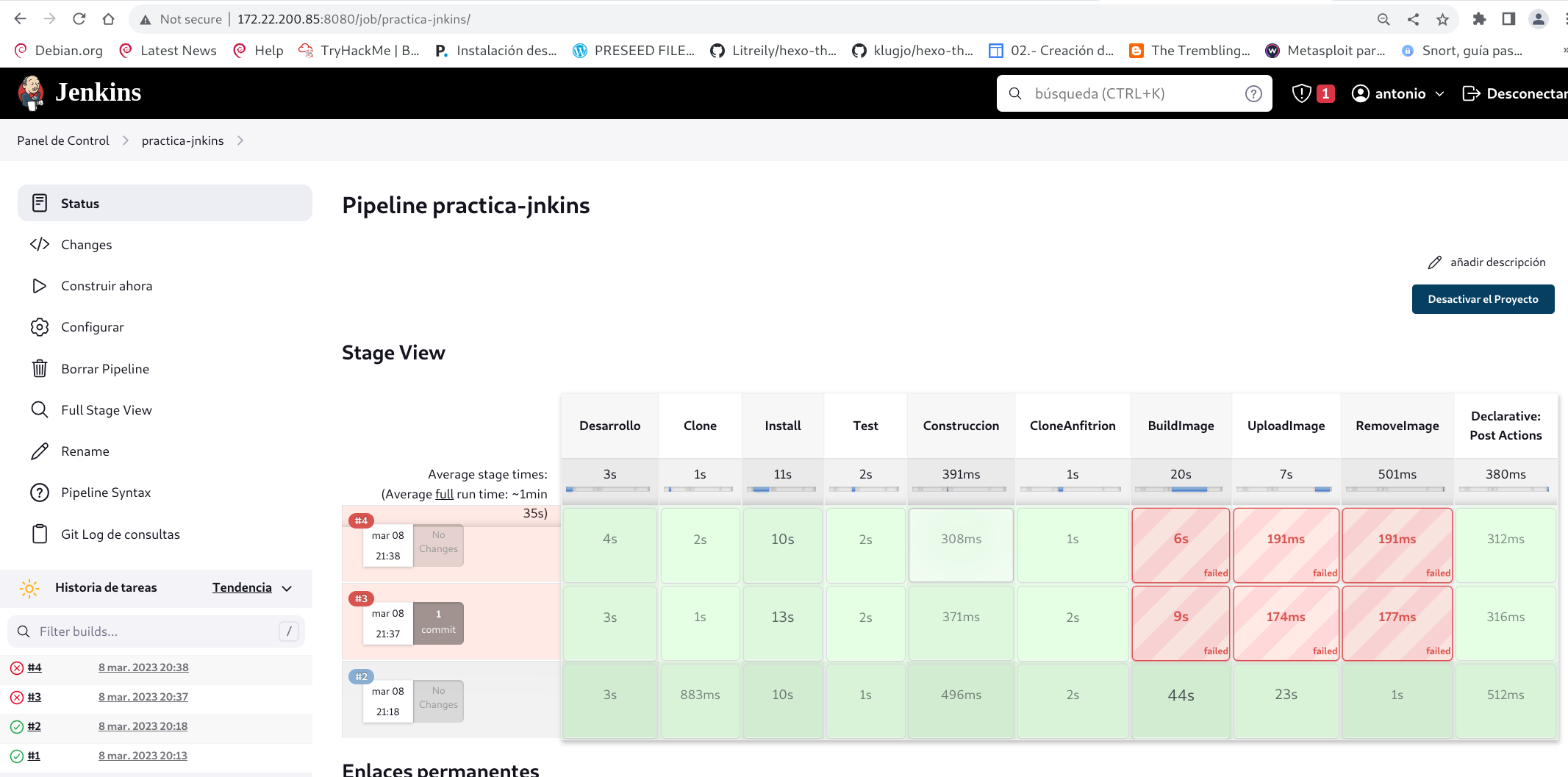
Introduce un fallo en el Dockerfile y muestra la salida del build donde se produce el error.
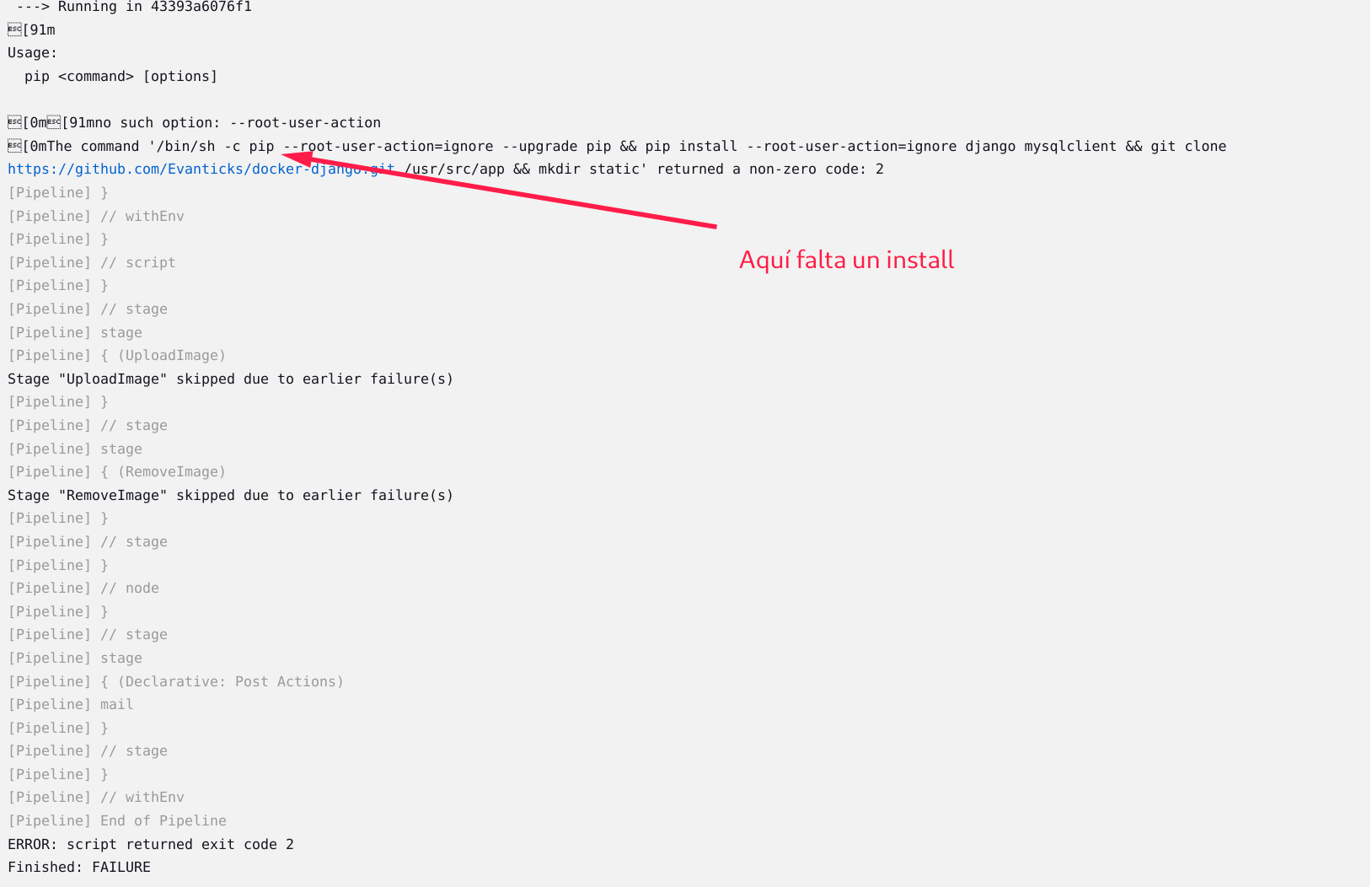
Entrega la URL del repositorio para ver el Jenkinsfile.
https://github.com/Evanticks/jenkins-django
Pantallazo con el correo que has recibido de la ejecución del pipeline.
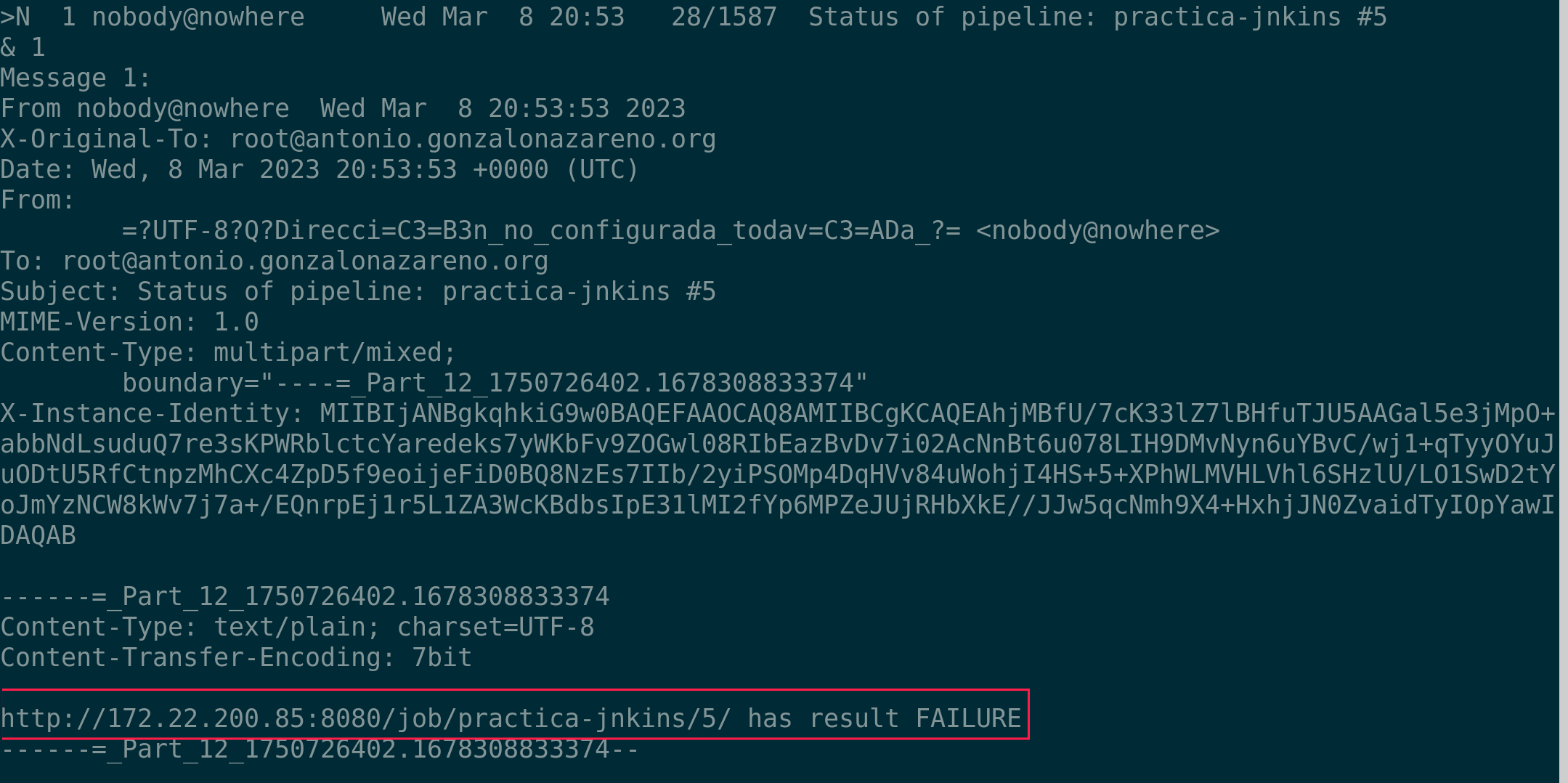
# Ejercicio 2: Despliegue de la aplicación
pipeline {
    environment {
        IMAGEN = "evanticks/django_tutorial"
        LOGIN = 'USER_DOCKERHUB'
    }
    agent none
    stages {
        stage("Desarrollo") {
            agent {
                docker { image "python:3"
                args '-u root:root'
                }
            }
            stages {
                stage('Clone') {
                    steps {
                        git branch:'main',url:'https://github.com/Evanticks/jenkins-django.git'
                    }
                }
                stage('Install') {
                    steps {
                        sh 'pip install -r requirements.txt'
                    }
                }
                stage('Test')
                {
                    steps {
                        sh 'python3 manage.py test'
                    }
                }

            }
        }
        stage("Construccion") {
            agent any
            stages {
                stage('CloneAnfitrion') {
                    steps {
                        git branch:'main',url:'https://github.com/Evanticks/docker-django.git'
                    }
                }
                stage('BuildImage') {
                    steps {
                        script {
                            newApp = docker.build "$IMAGEN:latest"
                        }
                    }
                }
                stage('UploadImage') {
                    steps {
                        script {
                            docker.withRegistry( '', LOGIN ) {
                                newApp.push()
                            }
                        }
                    }
                }
                stage('RemoveImage') {
                    steps {
                        sh "docker rmi $IMAGEN:latest"
                    }
                }
                stage ('SSH') {
                    steps{
                        sshagent(credentials : ['SSH_ROOT']) {
                            sh 'ssh -o StrictHostKeyChecking=no shinji@evangelion.entrebytes.org docker rmi -f $IMAGEN:latest'
                            sh 'ssh -o StrictHostKeyChecking=no shinji@evangelion.entrebytes.org wget https://raw.githubusercontent.com/Evanticks/docker-django/main/docker-compose.yaml -O docker-compose.yaml'
                            sh 'ssh -o StrictHostKeyChecking=no shinji@evangelion.entrebytes.org docker-compose up -d --force-recreate'
                        }
                    }
                }
            }
        }
    }
    post {
        always {
            mail to: 'antonio@antonio.gonzalonazareno.org',
            subject: "Status of pipeline: ${currentBuild.fullDisplayName}",
            body: "${env.BUILD_URL} has result ${currentBuild.result}"
        }
    }
}
docker rmi $(docker images --filter “dangling=true” -q --no-trunc)
El contenido del fichero Jenkinsfile.
Está arriba.
Las credenciales que has guardado en Jenkins.
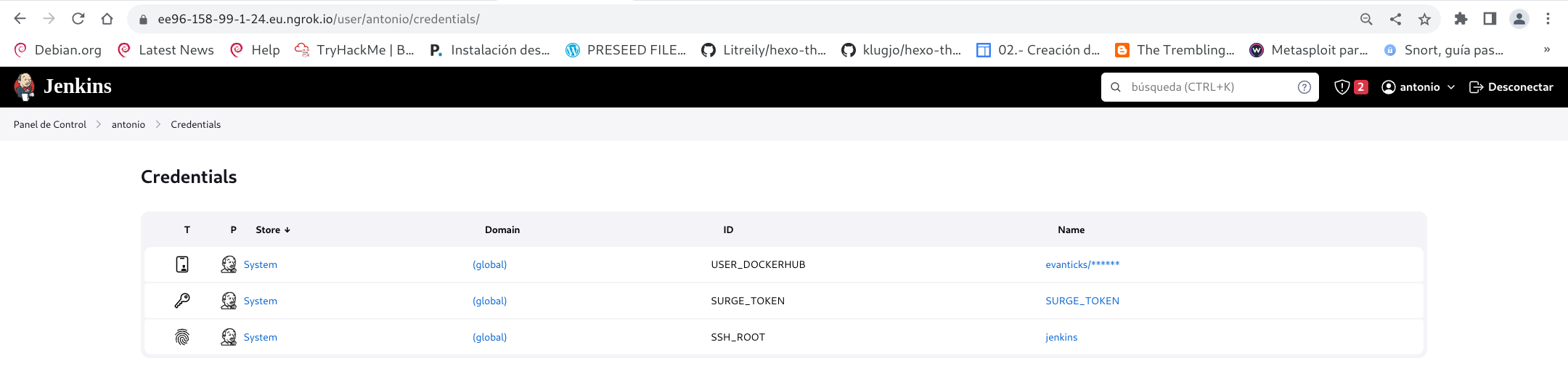
Demuestra al profesor como se realiza la IC/DC completo.